
The Real Cost of Managed IT Services
The Real Cost of Managed IT Services: What Small Businesses Actually Pay in 2026
If you've started shopping around for outside help with your computers, network, and cybersecurity, you've probably noticed something frustrating: nobody wants to give you a straight number. That's because the cost of managed IT services depends on a handful of specific factors. Once you know what they are, you can get a very good estimate before you ever pick up the phone.
This guide breaks it all down in plain English, so you can walk into your next conversation with an IT provider knowing exactly what questions to ask.
What Is a Managed IT Service Provider, Anyway?
Think of a managed IT service provider (often shortened to MSP) as an outside team that acts like your company's IT department, without you having to hire, train, or manage that department yourself. Instead of calling someone only when your computer breaks, an MSP keeps an eye on your systems around the clock, patches software before problems start, backs up your data, and handles your cybersecurity.
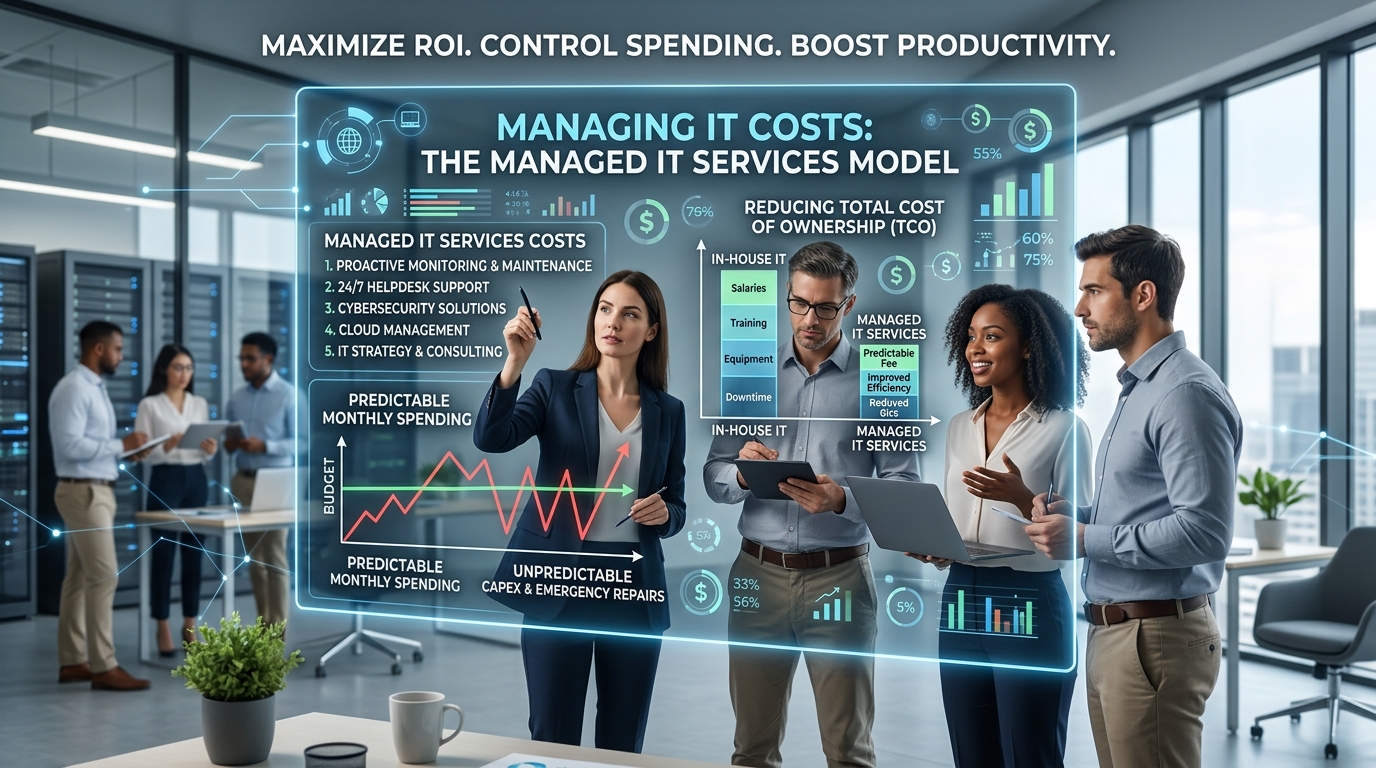
You pay a predictable monthly bill instead of a surprise invoice every time something goes wrong.
So, What's the Average Cost of Managed IT Services?
Most small and mid-sized businesses pay somewhere between $100 and $250 per user, per month, or $1,500 to $3,500 per month for a typical office of 20-50 employees. Larger companies, or businesses in heavily regulated industries like healthcare and finance, often pay more because of extra compliance and security requirements.
That's a wide range, though, and the reason it's so wide comes down to how providers structure their pricing.
4 Common Managed IT Services Pricing Models
Not all IT support pricing works the same way. Here are the four billing structures you'll run into most often:
Per-user pricing. You pay a flat fee for each employee who needs support, usually somewhere between $100 and $250 a month per person. This is the most popular model because it's easy to budget for and scales predictably as you hire.
Per-device pricing. Instead of billing by employee, the provider charges for every laptop, desktop, server, and mobile device they manage. This can work well if some employees share equipment, but it can also get expensive fast if your office is device-heavy.
Tiered (good-better-best) pricing. Providers offer a few packages, say, Basic, Standard, and Premium, each with more services bundled in. A basic tier might only cover monitoring and help desk support, while a premium tier adds cybersecurity, backup, and strategic planning.
A la carte pricing. You pick and choose individual services, like just cybersecurity monitoring or just data backup, and pay for each one separately. This gives you flexibility but requires more effort to compare quotes apples-to-apples.
7 Factors That Affect Your IT Support Costs
Two businesses the exact same size can get very different quotes. Here's why:
Number of employees and devices. More people and machines to support generally means a higher bill.
Level of cybersecurity coverage. Basic antivirus protection costs far less than advanced threat monitoring, employee security training, and 24/7 breach detection.
Compliance requirements. If your business handles sensitive data, think medical records, financial information, or legal documents, you'll likely pay more to meet standards like HIPAA or PCI-DSS.
Cloud services and software. Managing Microsoft 365, cloud storage, or specialized business software adds to the scope of work.
Response time guarantees. Providers that promise a technician within 15 minutes typically charge more than those with a same-day response window.
On-site visits. Remote-only support is cheaper than a plan that includes a technician physically coming to your office.
Existing infrastructure. Older, outdated equipment or a messy, undocumented network usually costs more to bring up to a manageable standard.
Hidden Costs to Watch Out For
A low monthly quote can be tempting, but it's worth reading the fine print before you sign. Watch for:
Onboarding or setup fees that aren't included in the advertised monthly rate
After-hours support charges if your basic plan only covers business hours
Project work billed separately, like a full network overhaul or office move
Hardware and software costs that aren't bundled into the service fee
Early termination penalties buried in long-term contracts
Is Managed IT Support Worth the Cost?
For most growing businesses, yes. Consider what you're avoiding: a single day of network downtime, a data breach, or a ransomware attack can cost far more than a year of managed IT services combined. That's not even counting the time your team loses dealing with the fallout. Predictable monthly IT costs also make budgeting much easier than reacting to expensive emergency repairs.
That said, managed services aren't always the right fit for every business. A very small company with simple, low-risk technology needs might do fine with occasional as-needed IT help instead of a full managed contract.
How to Get an Accurate Quote
Because pricing varies so much, the best way to find your real cost of managed IT services is to request quotes from a few providers and compare them using the same checklist: number of users and devices, hours of coverage, cybersecurity included, and any extra fees. Ask each provider to walk you through their pricing model in plain language, and don't be afraid to ask what's not included.
Schedule your assessment to get your free competitive quote HERE
Frequently Asked Questions
How much does managed IT cost for a small business? Most small businesses pay between $1,500 and $3,500 per month, or roughly $100 to $250 per employee, depending on the services included.
Is managed IT cheaper than hiring an in-house IT person? Often, yes. A single in-house IT hire can cost $60,000-$90,000 a year in salary alone, before benefits, training, or tools. A managed services contract, by comparison, typically covers a whole team of specialists for less.
What's included in a typical managed IT services plan? Most plans include help desk support, network monitoring, data backup, cybersecurity protection, and software updates. Higher tiers may add strategic IT planning and compliance support.