What IT Services and Consulting in Panama City Actually Include
What IT Services and Consulting in Panama City Actually Include
"IT services" can mean almost anything, which is part of why it's confusing to shop for. It helps to separate the work into two buckets.
IT services are the day-to-day work that keeps your technology running. This usually includes:
Help desk support when someone can't log in, print or connect
Monitoring and maintenance, such as installing updates and spotting problems before they cause an outage
Cybersecurity services, including antivirus, email filtering, multi-factor authentication and staff training
Data backup and disaster recovery, so you can get your files back after a hurricane, hardware failure or ransomware attack
Cloud services and Microsoft 365 setup, email management and user accounts
Network and Wi-Fi setup and management
IT consulting is the planning side. Instead of fixing today's problem, a consultant helps you make good decisions about the future: which systems to buy, when to replace aging computers, how to budget for technology, and how to keep up with security or industry requirements.
The best IT partners for small businesses do both. They handle the daily support and help you plan ahead, so you spend less time reacting to problems.
Break-Fix vs. Managed IT Services: Which Model Fits Your Business?
Most IT providers in the Panama City area work under one of two models. Neither is "right" for everyone, but it's important to know the difference.
Break-fix IT means you call someone when something breaks and pay by the hour. It's simple and can work for very small offices with few computers. The downside is that the provider only gets paid when things go wrong, so there's little reason to prevent problems, and costs are hard to predict.
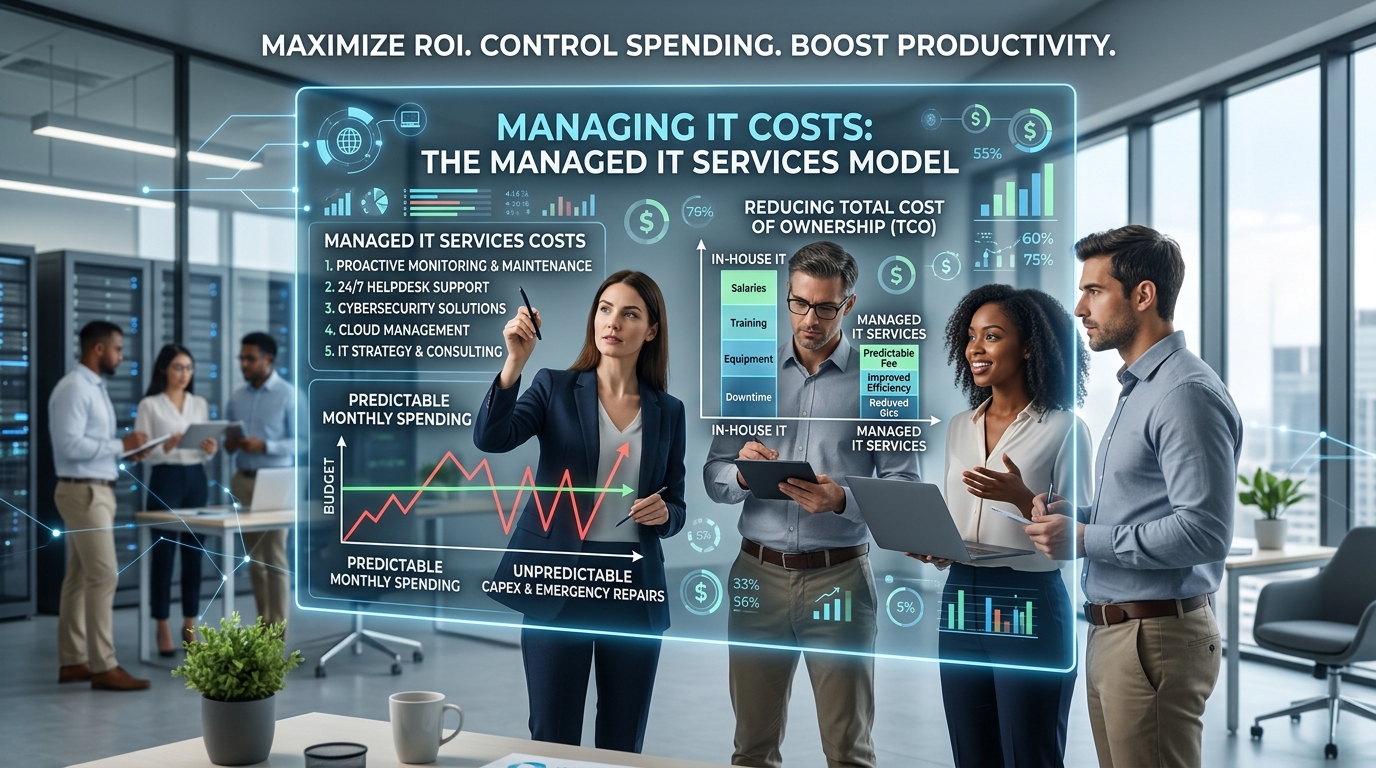
Managed IT services means you pay a predictable monthly fee, and the provider takes responsibility for monitoring, maintaining, securing and supporting your systems. Because the provider absorbs the cost of fixing problems, they have every reason to prevent them in the first place.
Here's a simple way to compare them:
Budgeting: Break-fix is unpredictable; managed IT is a flat monthly cost.
Prevention: Break-fix is reactive; managed IT focuses on stopping problems early.
Security: Break-fix rarely includes ongoing protection; managed IT usually builds it in.
Planning: Break-fix seldom includes advice; managed IT often includes regular technology reviews.
For most businesses with more than a handful of employees, the predictability and prevention of managed IT end up costing less than surprise repair bills and lost productivity.
6 Signs Your Business Needs IT Support or IT Consulting
Not sure whether it's time to bring in help? These are the most common warning signs.
1. Downtime Keeps Eating Into Your Day
Every hour your team can't work costs you payroll you're paying anyway, plus lost sales and frustrated customers. Industry estimates vary widely, but a recent report put the cost of IT downtime for small businesses as high as $10,000 per hour. A quick way to estimate your own: add up what your team earns per hour and what your business brings in per hour. That's what a lost hour really costs.
2. You're Still Running Windows 10
Microsoft ended standard support for Windows 10 in October 2025. Businesses can pay for Extended Security Updates, but the price doubles each year: the second year, which started on October 14, 2026, costs $122 per computer, and you also have to pay for the first year if you skipped it. For many small offices, that money is better spent on replacing aging computers as part of a planned upgrade.
3. Nobody Clearly "Owns" IT
If your IT plan is "ask Sarah, she's good with computers," you have a single point of failure. When Sarah is busy, on vacation or leaves the company, so does your IT knowledge, and important tasks like updates and backups quietly stop happening.
4. You're Not Sure Your Backups Work
Having backups isn't the same as being able to restore from them. If you haven't tested a restore recently, or your only backup is a drive sitting in the same office, your data may be at risk from a hurricane, a fire or ransomware.
5. Security Feels Like Guesswork
Scam emails have gotten very convincing. According to the FBI, business email compromise (scams that impersonate a vendor, client or co-worker to redirect payments) cost U.S. victims more than $3 billion in 2025. If you're not sure whether multi-factor authentication is turned on for every account, or whether your staff would spot a fake invoice, it's time for professional cybersecurity services.
6. Your Business Is Growing
New hires, a second location or new software can quickly outgrow a setup that worked for five people. Bay County's growth, including the ongoing rebuild of Tyndall Air Force Base, has many local businesses adding staff. Good IT consulting helps you scale without creating a tangled mess you'll pay to untangle later.
How to Choose a Managed IT Services Provider in Panama City
Once you decide to get help, the next challenge is choosing the right partner. Here are the questions worth asking every provider you talk to.
10 Questions to Ask Before You Hire an IT Company
How quickly do you respond? Ask for typical response times for urgent issues and everyday requests, in writing.
Can you come on-site in Panama City? Remote support handles most problems, but some situations, like a network failure or a new office setup, need someone in person.
What's included in the monthly price, and what costs extra? Look for clear answers about projects, after-hours work and new equipment.
How do you handle cybersecurity? A good answer covers multi-factor authentication, email security, updates, backups and staff training, not just antivirus.
How are our backups stored and tested? Look for off-site or cloud copies outside the region and regular test restores.
What's your plan for hurricane season? Every Gulf Coast business should know how its data and systems will stay available if the office is closed.
Do you offer IT consulting and planning? Ask whether they provide regular technology reviews and help with budgeting.
Who owns our accounts and passwords? You should always have access to your own systems, even if you change providers.
Do you have experience in our industry? Medical, legal, financial and government contractors often have specific security or compliance requirements.
Can we talk to current clients? Reputable providers are happy to share references.
Red Flags to Watch For
Vague contracts that don't spell out what's covered
Long lock-in terms with steep cancellation fees and no performance guarantees
No mention of security or backups in their standard service
Holding your passwords or data hostage, or reluctance to document your setup
Pressure to buy new hardware or software without explaining why you need it
Real-World Scenarios: What Good IT Support Looks Like
The examples below are composites based on common situations, not specific client stories.
The hurricane warning. A storm is forecast to hit Bay County in 48 hours. A business with managed IT confirms that its cloud backups are current, staff can work from home securely, and phones forward to cell phones. When the office loses power for a week, the team keeps working. Many local business owners remember how long recovery took after Hurricane Michael in 2018, which is why this planning matters.
The fake invoice. An accounts payable clerk at a construction company receives an email from a "supplier" with new bank details. Because the company's IT partner trained staff to verify payment changes by phone and set up email warnings for outside senders, the clerk calls the supplier and stops the payment before any money is lost.
The slow office. A growing medical office keeps losing time to slow computers and dropped Wi-Fi. An IT consultant reviews the setup, replaces the oldest machines on a planned schedule, upgrades the network and moves files to the cloud. The office stops losing time to tech problems and has a clear budget for the next three years.
Common IT Mistakes Small Businesses Make
Waiting until something breaks to think about IT
Using personal email or shared passwords for business accounts
Skipping updates because they're inconvenient
Keeping the only backup in the office
Buying technology without a plan, which leads to mismatched systems that are hard to support
Choosing the cheapest provider without checking what's actually included
Your IT Services Checklist for Panama City Businesses
Use this checklist to see where your business stands:
We know who to call for IT help, and they respond quickly
All computers are running supported, up-to-date software
Multi-factor authentication is turned on for email and key business accounts
Backups run automatically, are stored off-site and have been tested recently
We have a plan for keeping the business running during hurricane season
Staff receive basic security training on scam emails and fake invoices
We own and can access all of our own accounts and passwords
We have a simple technology budget and replacement schedule
Our IT agreement clearly lists what's included and what isn't
If you checked most of these boxes, you're in good shape. If not, start with backups and multi-factor authentication. They protect you from the most costly problems.
Final Thoughts: Finding the Right IT Partner
The right IT partner should make technology one less thing you worry about. You want someone who answers the phone, explains things in plain language, protects your business from threats and helps you plan ahead, not just someone who shows up when the server crashes.
If you're weighing your options, CRC Data Technologies has provided managed IT services and cybersecurity support to businesses across Northwest Florida for more than three decades. You can read how we've helped other local businesses, or contact our team with questions. We're glad to talk through what your business needs, with no pressure attached.